For small businesses on Instagram & Facebook

Check your post before your customers see it

Made it in Canva? Drop it in. We show what people won’t be able to read on a phone or won’t see under Instagram’s buttons — and exactly what to change.

Free · no sign-up · your image is checked, then discarded.

  • Text people can read
  • Nothing hidden by Instagram
  • Not too much text on ads
  • No typos, a clear offer

How it helps

A second pair of eyes before you post

For cafés, shops, salons and local services that make their own posts — no design skills needed.

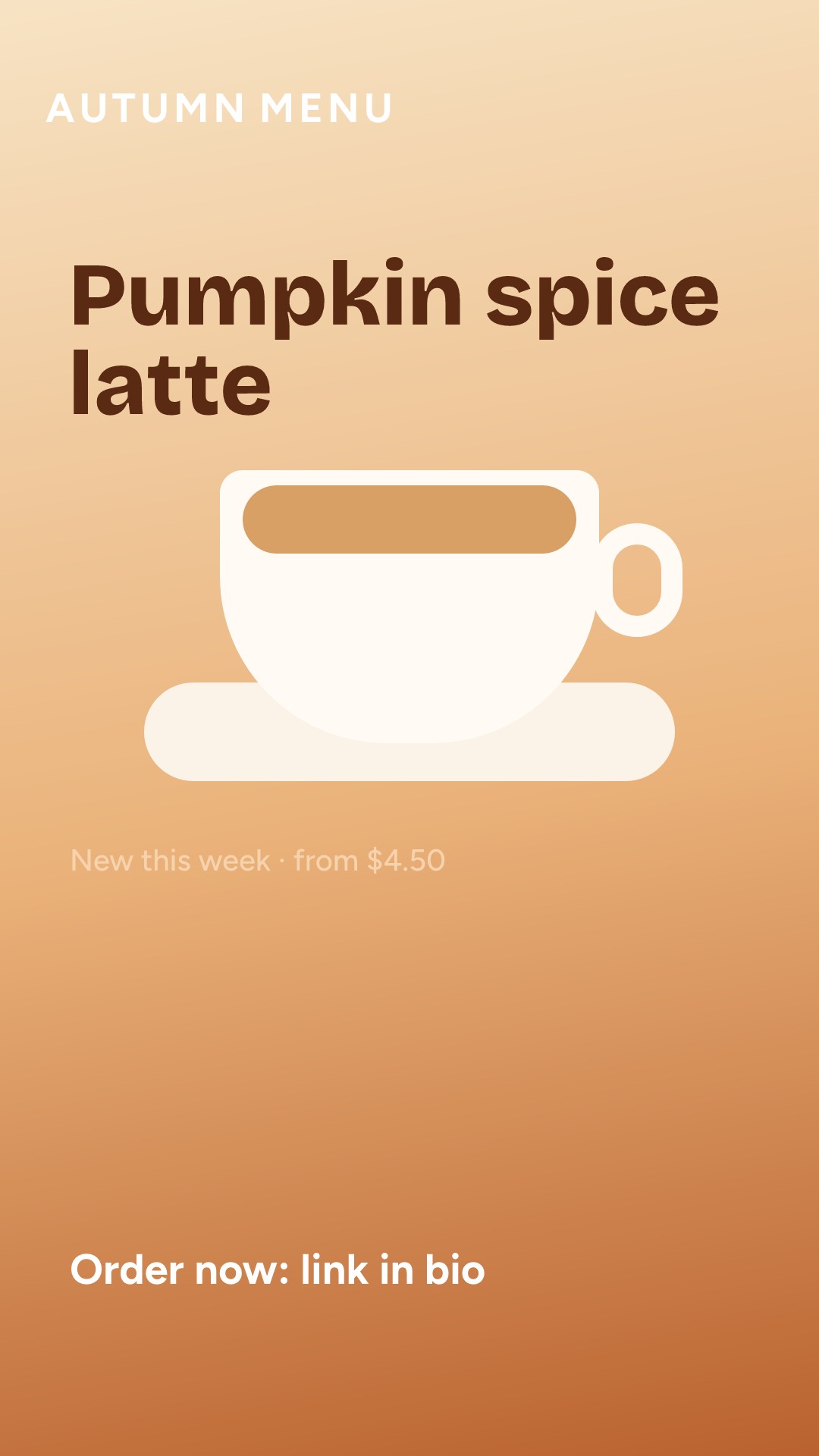
A café Story: Autumn menu, Pumpkin spice latte, Order now: link in bio
1
2
3
  • 1Hidden under the top barmove 119 px down
  • 2Too pale to readuse #6f3a03
  • 3Covered by the buttonsmove 357 px up

What it is

A quick check for your Instagram and Facebook posts, Stories and ads before they go live. Drop in the image and see every problem marked right on it — with what to change.
FormatStory / Reel ▾
autumn-menu.pngDownloaded from Canva · 1080 × 19205 to fix
  1. 1Download from Canva
  2. 2Drop it in
  3. 3Fix what’s marked

How it works

Download your design from Canva as PNG or JPG and drop it in. In a few seconds you get a short list: what’s wrong, why customers will miss it, and exactly what to fix — the colour, the size, how far to move it.

A café Story: Autumn menu, Pumpkin spice latte, Order now: link in bio
In Canva
The same Story on Instagram, with the top and bottom covered
yourcafe
Send message♡➤
On Instagram

Why it works

Most posts don’t fail because of the idea. They fail for small things you can’t see in Canva: text under Instagram’s buttons, a line too pale to read in daylight, a price list too small for a phone. We check your image the way a customer sees it — on a phone.

A café Story: Autumn menu, Pumpkin spice latte, Order now: link in bio
Your design
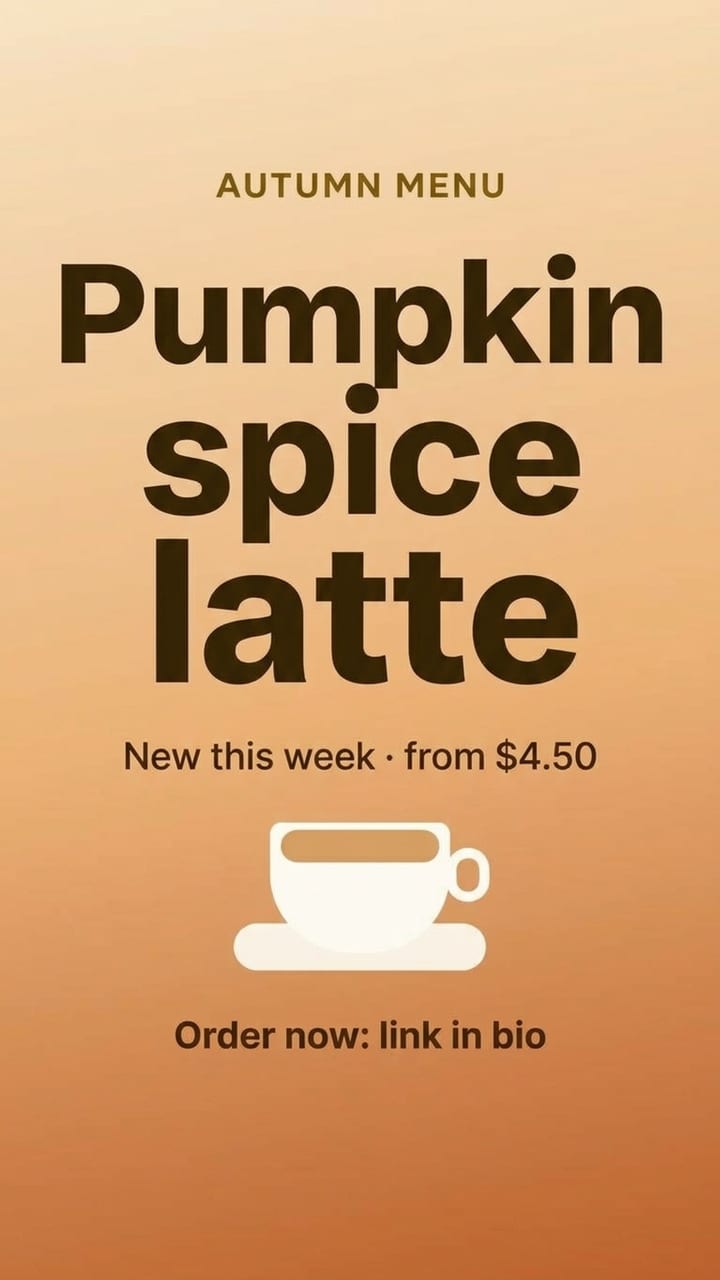
The improved café Story: readable headline and price, nothing under Instagram’s buttons
Improved version

Don’t want to fix it yourself?

Get an improved version: we redraw your design with every fix applied and keep your words exactly as you wrote them, next to your original. This one is the real result for the café Story.

A real example

A café Story, before and after the check

It looks fine in Canva. On a phone, 5 things go wrong in 4 lines of text. Every number here is what the check really found.

A café Story: Autumn menu, Pumpkin spice latte, Order now: link in bio
What you’d post
A café Story: Autumn menu, Pumpkin spice latte, Order now: link in bio
top 269 pxbottom 672 px
↑ 357 px
1.3:1 · under top bar
1.4:1 contrast
3.0:1 · hidden
What FixMyDesign sees
  • 1Hidden under the top barInstagram puts your name over “AUTUMN MENU”. Move it down 119 px.
  • 2Too pale to readThe price line almost disappears on the photo. A darker brown, #6f3a03, fixes it.
  • 3Covered by the buttons“Order now” sits under the reply box and caption. Move it up 357 px.

FixMyDesign vs ChatGPT

ChatGPT gives opinions. We check.

Show ChatGPT your post and you get general tips. FixMyDesign checks your actual image the way Instagram and Facebook will show it, and points to each problem.

What you getChatGPTFixMyDesign
Gives tips on your design
Checks every line is readable on your actual photo
Knows exactly what Instagram covers in Stories and ReelsPartly
Marks each problem on your image
Tells you exactly how far to move things
Keeps your words when it fixes the design

Pricing

Checking is free. Pay only if you want it fixed for you.

No subscription. Credits never expire.

Free Checker

$0

No sign-up

  • Up to 20 checks a day
  • Every problem marked on your image
  • Exactly what to change, and by how much
  • Posts, Stories, Reels and ads
  • Tips on your message, clutter and typos
Check a design
Credits

Improved Versions

$4.99 / 10 credits

or $19 for 50

  • Everything in Free
  • We redraw your design with the fixes
  • Your words stay exactly as you wrote them
  • See it side by side with your original
  • Credits never expire

FAQ

Questions

What does FixMyDesign check?

Whether people can read every line of text on a phone, whether Instagram or Facebook covers any of it with their own buttons in Stories and Reels, whether an ad has too much text — and, with AI, whether your offer is clear, the design isn’t cluttered and there are no typos.

Do I need to know anything about design?

No. You get plain answers on your own image — “this line is too pale”, “move this up”, “cut this text” — with the exact colour or distance, so you can fix it in Canva in a minute.

What happens to my image?

It is checked and then discarded — we don’t store it. The AI part runs on Google’s Gemini API on a paid plan, which doesn’t use your data for training. We keep the written results (which can quote the text in your design), without the image, for 90 days to improve the checks.

How accurate is it?

Readability and what Instagram covers are measured on the pixels of your image. A few things, like font size, are estimated from the picture — and when a result is borderline we say so instead of calling it a mistake.

Does it work with Canva?

Yes. Download your design from Canva as PNG or JPG and drop it in. A Canva app that checks your design without downloading is on the way; a Figma plugin is too.

Will this get me more customers?

We can’t promise that — it’s advice, not a guarantee. What we can do is catch the problems that make people scroll past, before you post or pay for an ad.

Check your next post before it goes live.

Free. No sign-up. About 5 seconds.

Check a design